One Prompt. Two Blank VMs. Here’s What Happened.
A chapter-by-chapter interactive retelling of the talk: the slides, the narration, the live demos, and the hard-earned lessons from letting an AI agent loose on real infrastructure.

Formerly 16 years at Red Hat
Follow the left-side progress dots, play each section’s narration, and use the prev/next links to move chapter by chapter through the full story.
I Know Where the Booleans Are
I’m Karl Abbott. I’m a product manager at Microsoft. Before that, I spent 16 years at Red Hat. So yes, I know where the SELinux booleans are buried.
At Red Hat Summit 2026, I handed an AI agent a terminal and asked it to deploy a live application to RHEL 10 on Azure. From scratch. No scripts. No runbooks. The audience watched every SSH command, every dnf install, every SELinux denial — and then they played the app on their phones.
It worked, and we all learned something. Even if it didn’t work, we would have learned something still.
What Agentic Actually Means
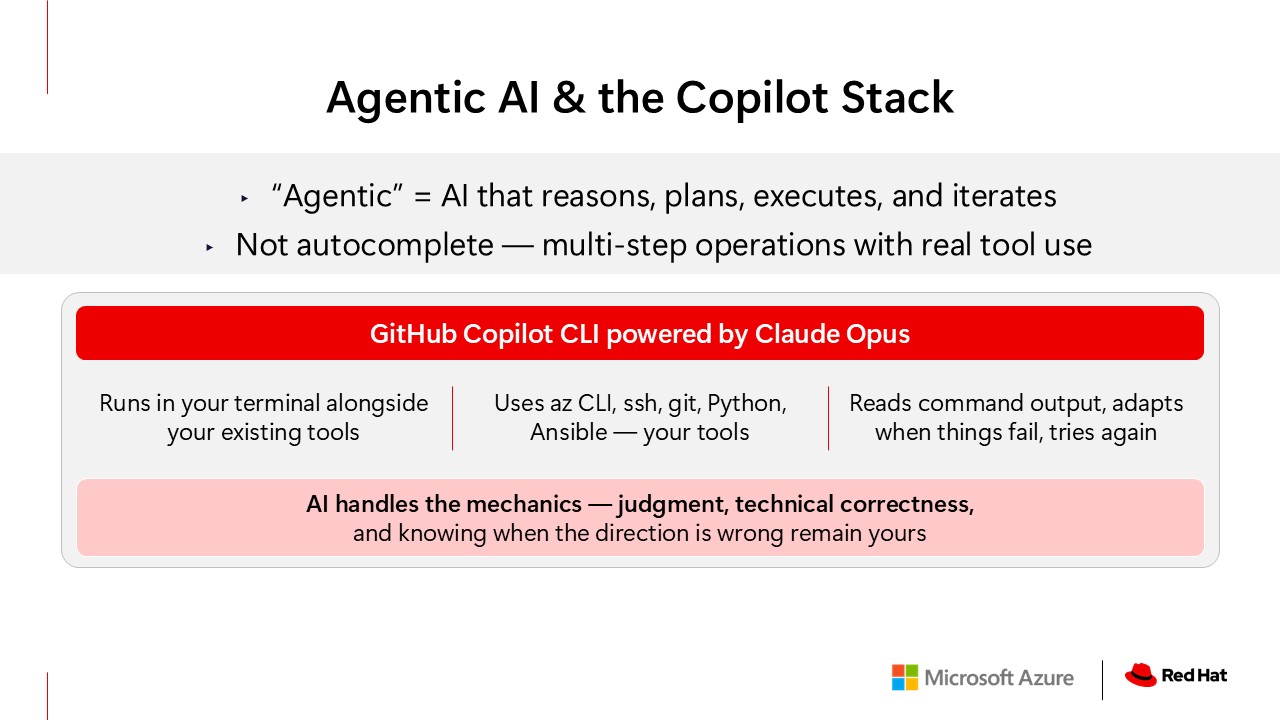
This isn’t the autocomplete you know from your editor. An agentic system takes a high-level goal, breaks it into steps, executes them with real tools, reads the output, and adapts when something fails. Copilot CLI lives in your terminal. It uses az CLI, SSH, git, Python, Ansible. Your tools.
But the agent handles the mechanics. The sequencing, the flags, the 15 commands in the right order.
What remains is your judgment. Your technical correctness. Your instinct for when the direction is wrong, even if the output looks fine.
Copilot is an editor and translator, not a thinker. It translates your intent into working infrastructure. The thinking is still yours.
The Problem
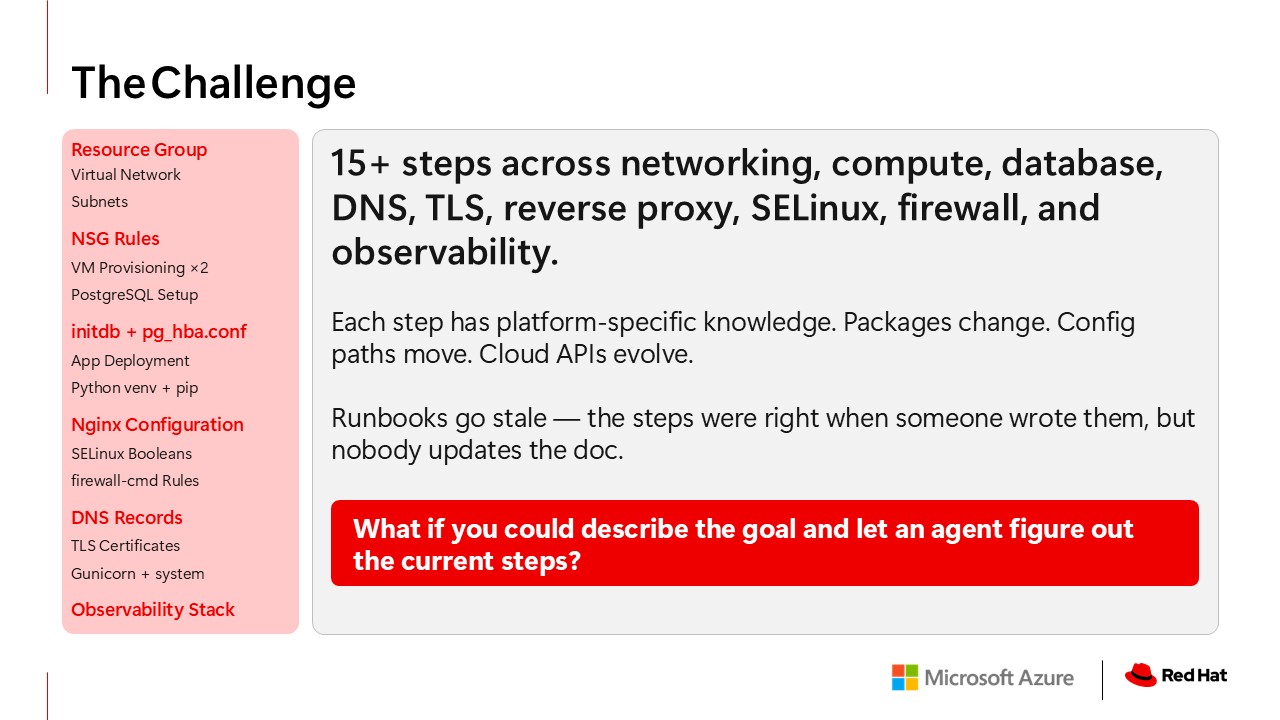
Deploying even a simple app to RHEL on Azure involves more than a dozen discrete steps, and every one of them has platform-specific knowledge baked in. Anyone who’s tried to follow a generic Linux tutorial on RHEL knows this pain.
We’ve all written runbooks for this, and they’re great on the day you write them. But packages get renamed. Config paths change between RHEL versions. Cloud CLIs add and deprecate flags. Nobody goes and updates the doc.
So what if you could just describe what you want, and let an agent with current knowledge figure out the steps?
The Architecture
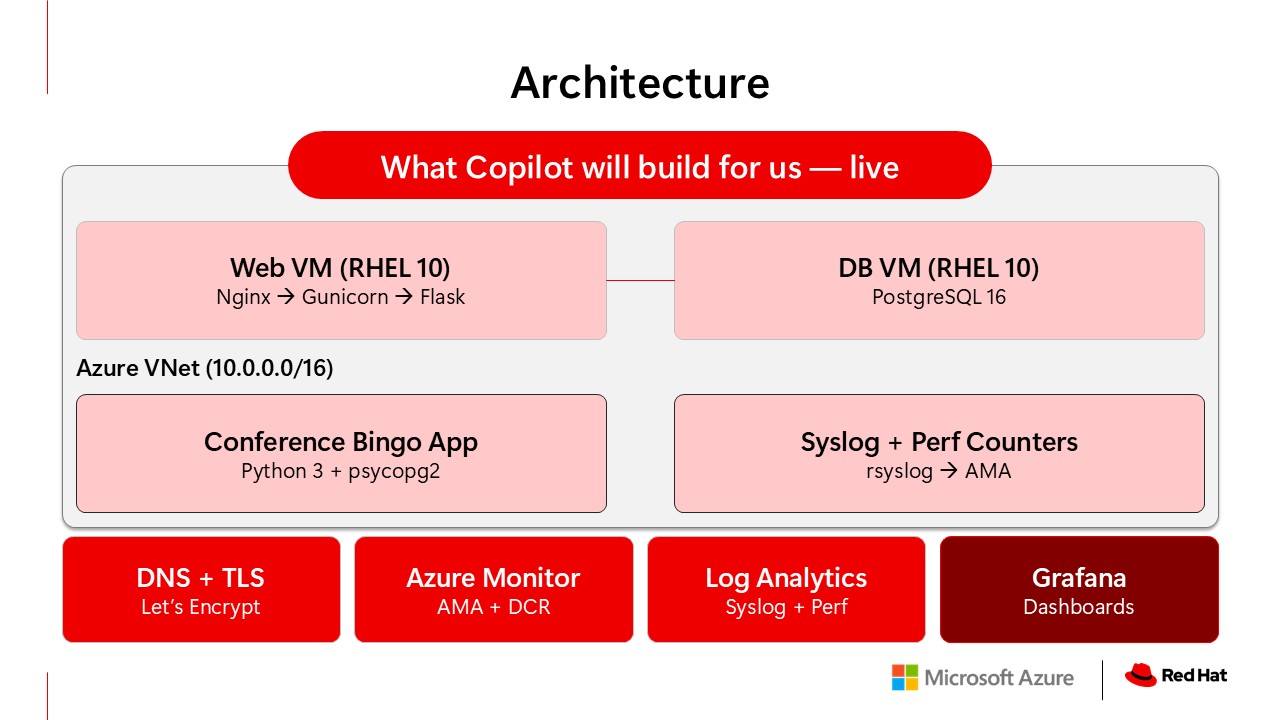
Two RHEL 10 virtual machines in an Azure VNet. The web VM runs Nginx as a reverse proxy to Gunicorn, serving a Flask application. That’s the conference bingo game. The database VM runs PostgreSQL. They talk over a private subnet.
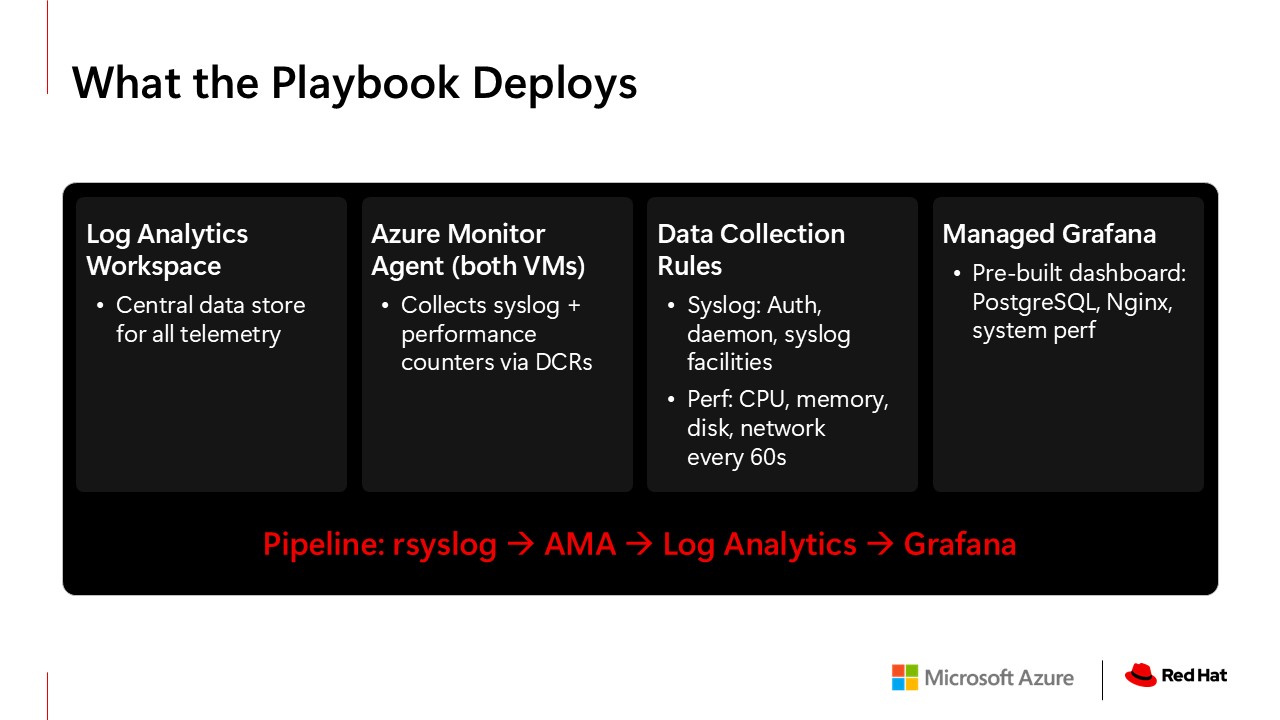
On top of that: DNS with a real domain, TLS from Let’s Encrypt, and an observability pipeline. Azure Monitor Agent on both VMs, collecting syslog and performance counters, feeding into a Log Analytics workspace, visualized through Managed Grafana.
All of this gets configured and deployed in front of you.
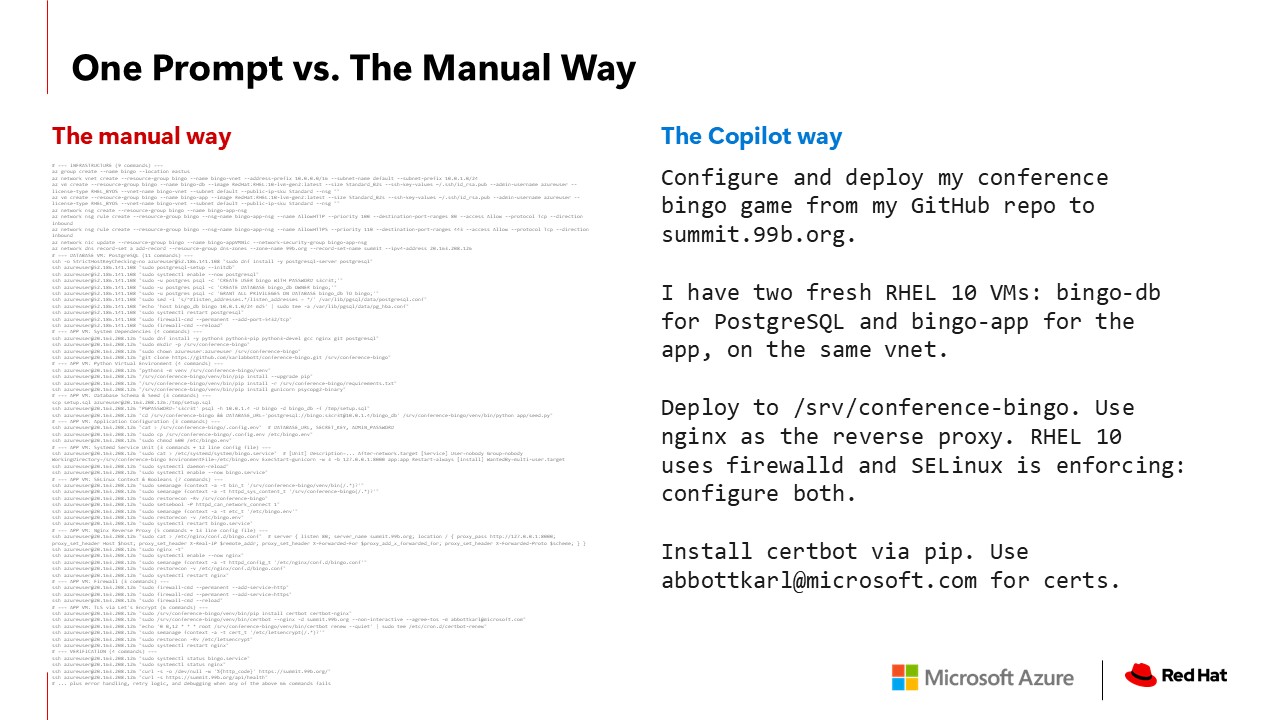
One Paragraph
That’s it. One paragraph. No script. No runbook. Let’s see what happens.
If I were doing this by hand, I’d be running dnf search trying to remember if the package is postgresql-server or postgresql16-server on RHEL 10, then doing web searches for the Nginx config path because I can never remember if it’s conf.d or sites-available on a distro. Copilot just knows.
Most AI coding tutorials assume Ubuntu — apt-get, ufw, permissive SELinux, or none. But enterprise customers run RHEL for the support lifecycle, the security posture, FIPS. The gap between “it works in a tutorial environment” and “it works on RHEL in production with SELinux set to enforcing mode” is exactly where teams lose hours. And that’s the gap that Copilot closes.
RHEL-Specific Patterns
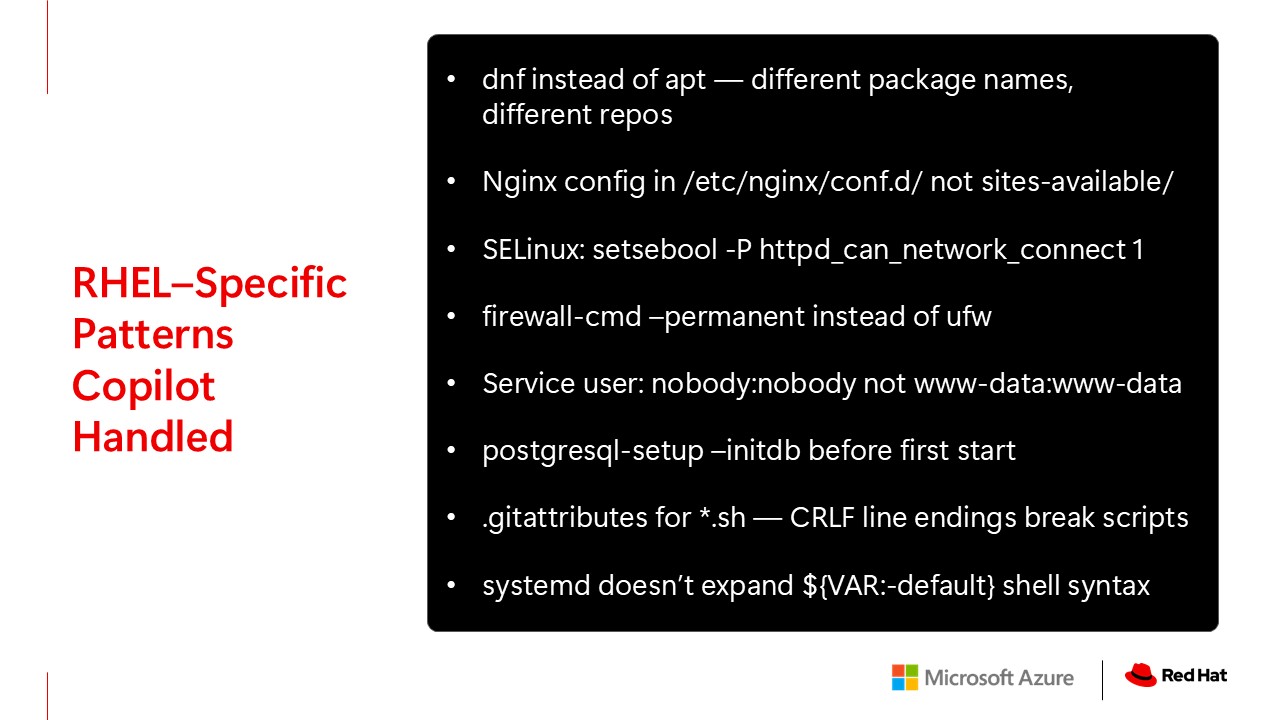
Package management is dnf, not apt. Nginx config goes in conf.d, not sites-available. There’s no sites-enabled symlink pattern. SELinux is enforcing by default, which means your Nginx reverse proxy silently fails unless you set httpd_can_network_connect. Firewall is firewall-cmd, not ufw. The service user for web processes is nobody, not www-data.
PostgreSQL on RHEL requires an explicit initdb step before it’ll start. That trips up a lot of people. And here’s a fun one: when you SCP a shell script from a Windows machine, the CRLF line endings make the shebang line invalid, so you get “No such file or directory” on a file that clearly exists.
Every one of those is a place where a generic tutorial would have failed on RHEL. Copilot figured out every one of them.
On the left, the manual runbook. Dozens of commands, platform-specific flags, easy to get wrong. On the right, what I actually typed. One paragraph. Same result.
Explore with Copilot. Codify with Ansible.
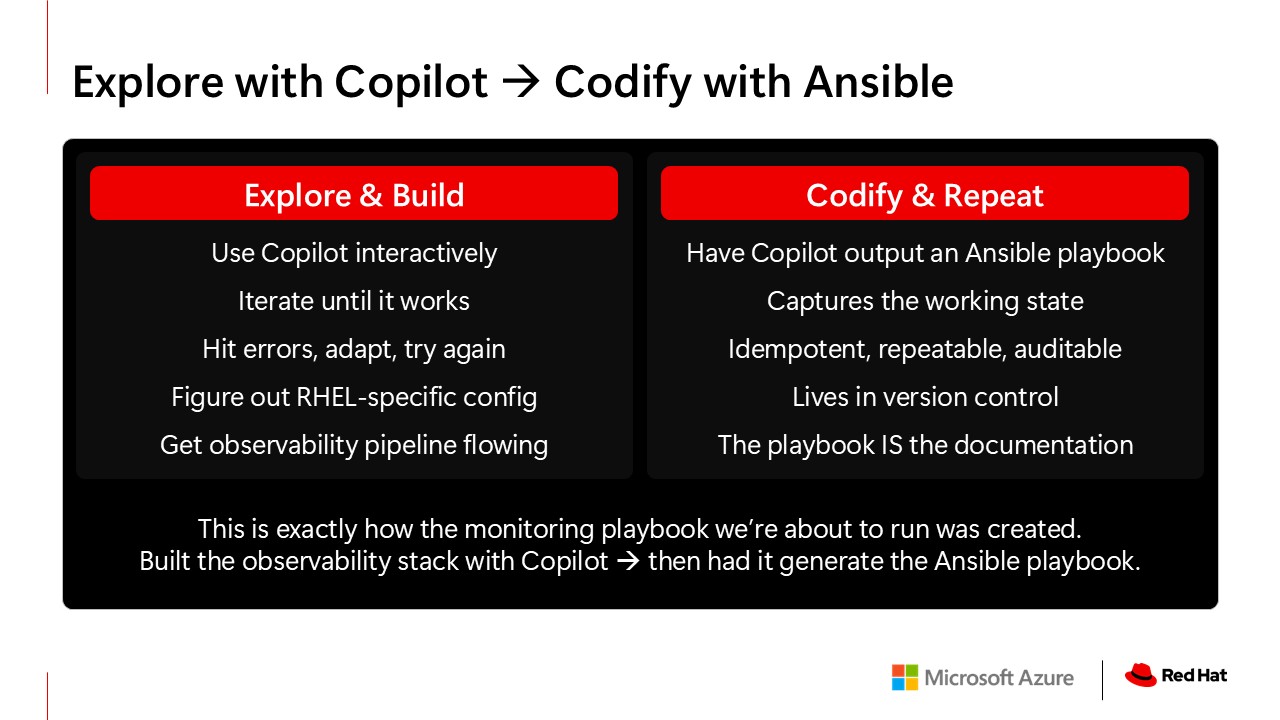
Here’s the key idea I want you to take away.
Copilot is great for exploring and building. You iterate, you hit errors, you adapt, you get things working. But once it works, you don’t want to do that again. You want to capture it.
This is where Ansible comes in. After I built the observability stack interactively with Copilot — figuring out Azure Monitor Agent configuration, data collection rules, syslog forwarding, the Grafana setup — I asked Copilot to take everything we’d done and output it as an Ansible playbook. Roles, variables, handlers, the works.
The playbook we’re about to run was literally generated with the same tool you just watched deploy the app. Copilot is the accelerator. Ansible is the artifact. You explore fast, then you codify what works.
Why Ansible Is Now Even More Important
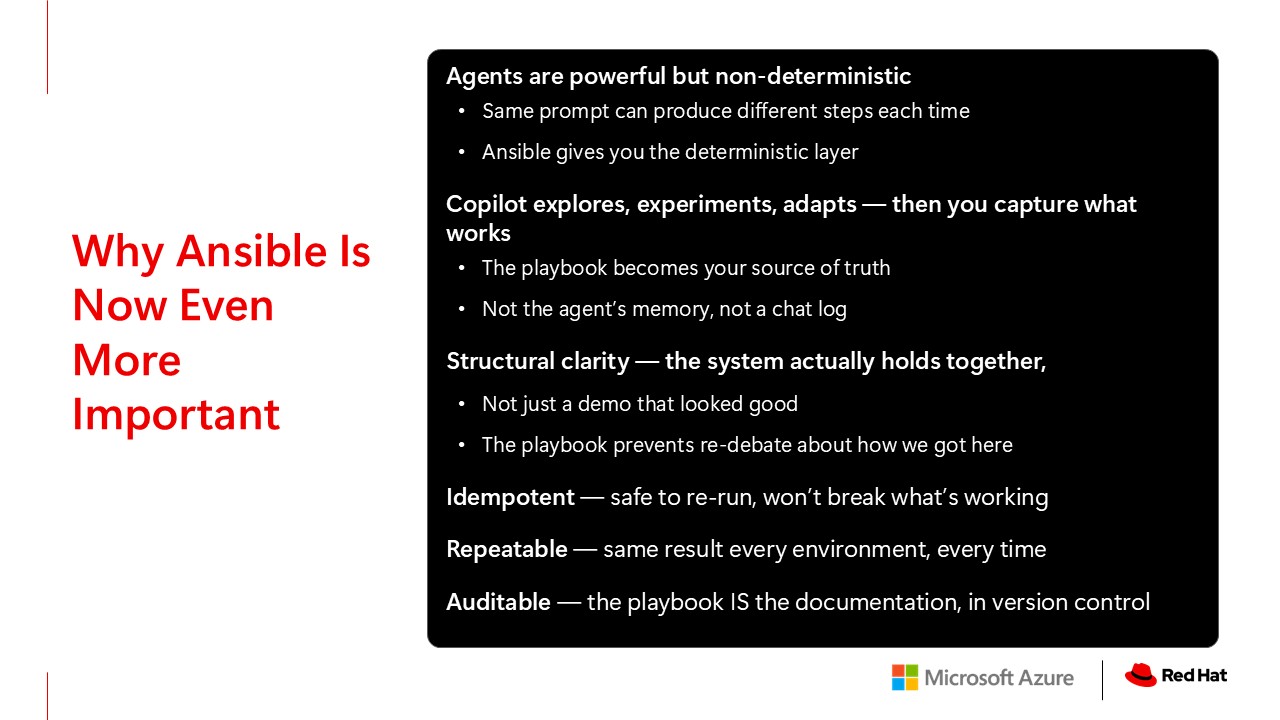
Some people hear “agentic AI” and think it replaces automation tools like Ansible. It’s the exact opposite. Agentic AI makes Ansible more important.
Agents are non-deterministic. I can give Copilot the same prompt twice, and it might take a different path each time. That’s fine for exploration. It’s actually a strength. But when I need to reproduce this in staging, then production, then for the next team — then I need determinism.
There’s a distinction that matters. Structural clarity versus performative clarity. A successful demo looks good. That’s performative clarity. But Ansible gives you structural clarity — where the system actually holds together. The playbook prevents re-debate about how we got here. It’s in git, it’s reviewed in PRs, and it is the documentation.
Idempotent, repeatable, auditable. Those properties matter more, not less, in a world where agentic AI is generating more automation faster than ever.
This is why you don’t ship the agent’s work straight to production. You wait until you have structural clarity. A reviewed, tested playbook before you move. The agent gets you there faster, but the gate is the same.
Microsoft’s 2026 Work Trend Index backs this up. Organizational environment matters twice as much as individual skill when it comes to AI impact. The playbook is how one person’s exploration becomes the whole team’s capability.
What AI Actually Changes
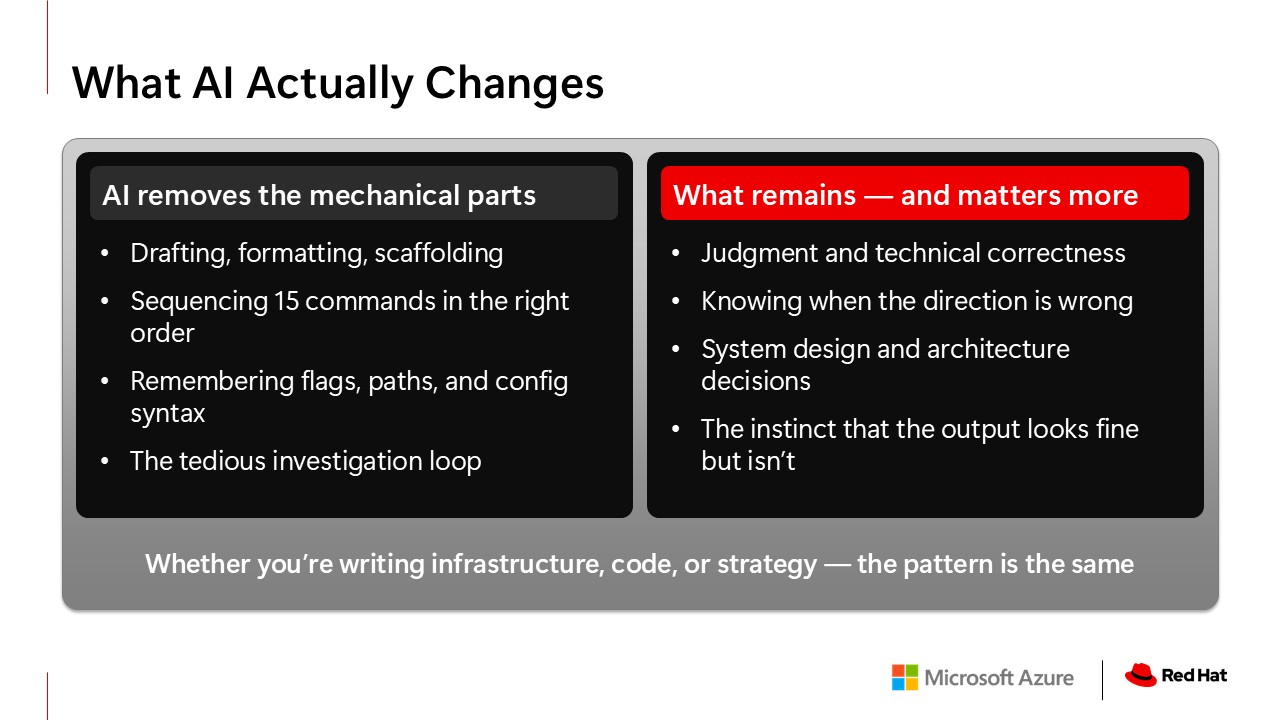
AI removes the mechanical parts of our work. The drafting, the formatting, the scaffolding, the sequencing. You just saw that in the demo. Copilot handled the tedious investigation loop, the 15-step deployment, the config syntax.
I usually spend the last three weeks before Summit frantically building slides and debugging labs. This year, I had everything done four weeks out. I spent the extra time thinking about whether this talk was actually good. That’s what AI changes.
But what remained — and what mattered more — was my judgment. My technical correctness. My instinct to sense when the direction was wrong, even if the output looked fine. I had to know Linux well enough to evaluate whether what the agent was doing was right.
There’s a sequence that matters. Understanding comes before abstraction. You explore interactively, build understanding of the system, and only then do you abstract into automation. You don’t start with the playbook. You start with the exploration. The playbook comes after.
The Monitoring Pipeline
Syslog messages flowing in, performance counters being graphed, and — because the audience was playing bingo — real PostgreSQL connection activity and Nginx access logs from their phones hitting the app.
Azure Monitor Agent runs natively on RHEL. The data collection rules understand syslog. Grafana speaks KQL. None of this required glue code or workarounds. It’s built together. That’s what co-engineered actually means.
Something’s Wrong
The app was feeling slow. I typed seven words. My app feels really slow. Can you tell me why?
I didn’t tell Copilot what turbo.sh does. It read the source code and reverse-engineered the attack. It found the problem, explained it, and fixed it. That was a real incident on a real server.
The Honest Part
That felt pretty good, right?
But I’d be doing you a disservice if I left it there, because that was the best case.
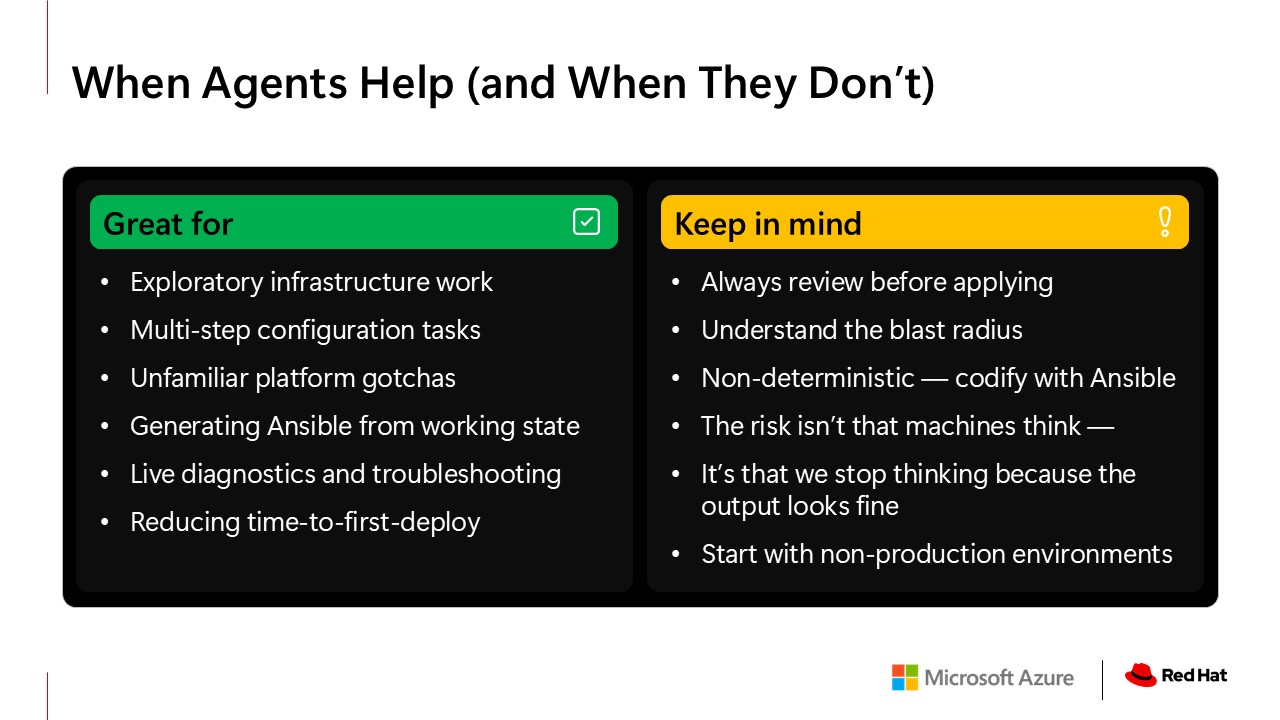
Agents are great for exploratory work. Standing up new environments, multi-step configuration, catching platform-specific gotchas you don’t remember, and diagnostics like you just saw. But the danger with AI isn’t that machines think. It’s that we stop thinking because the output looks fine.
Always review what the agent does. Understand the blast radius. Codify with Ansible so you have structural clarity. Not just a demo that worked once. And start in non-production environments. Build trust incrementally.
Not every problem has a clear fix. Sometimes the agent gives you an answer and it looks right. But the real issue is you don’t fully understand the problem yet. And the only way to understand it is to get your hands on it.
I built this because I wanted to understand what this thing actually is. Not the marketing version. The real version. What happens when you hand an AI a terminal and let it loose on real infrastructure. I needed to see it for myself.
Takeaways
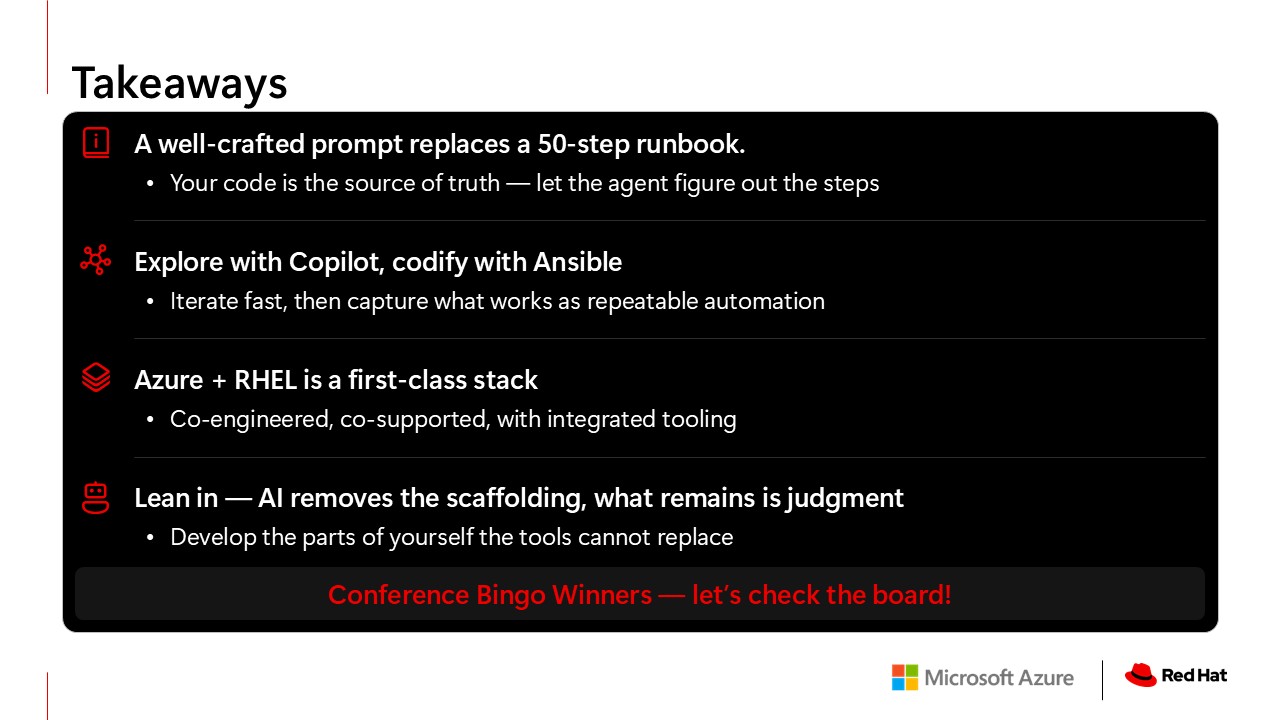
A well-crafted prompt replaces a 50-step runbook. Your code is the source of truth. Let the agent figure out the steps.
Explore with Copilot. Codify with Ansible. Copilot gets you to working fast. Ansible keeps it working forever.
Azure and RHEL is a first-class stack. Co-engineered. Co-supported.
And the one I feel most strongly about? Lean in. AI removes the scaffolding. What remains is judgment, technical correctness, and the instinct to know when something is wrong, even if the output looks fine. Develop those parts of yourself. That’s what the tools cannot replace. And that’s what made me stop worrying about being replaced by them.
Closing
Everything you saw is open source. The app, the monitoring playbook, even the teaser site. It’s all on my GitHub.
The tool is GitHub Copilot CLI. The model that did all of this is Claude Opus. And the VMs were deleted by dinner.
I’m Karl. I spent 16 years at Red Hat, and I’m glad I got to come back to the Red Hat Summit and show you this.
Links from the talk
Dig into the app, the monitoring playbook, and Karl’s profile.